
Choosing a POS System for Your Fontana Business
Current as of November 2026.
The lunch rush at a family taqueria on a busy Fontana corridor is not the moment to find your point of sale tablet is rebooting or your card reader is out of sync. Consider an owner who runs a 10-table spot, handles a mix of dine-in, takeout, and delivery app orders, and watches a line build at the register while the system spins. The fix for that owner is not a software patch. It starts with choosing the right system before the rush arrives, and knowing what it actually costs to run it.
Why So Many Fontana Shops End Up on the Wrong System
Fontana has a commercial mix that is genuinely unusual. The city sits at the crossroads of two major freeways, which means its business community ranges from family restaurants and corner tiendas to auto repair shops serving the trucking corridor and logistics businesses that run split shifts around the clock. What they have in common is that most of them chose a payment system under time pressure, when they opened or when the old one broke, rather than by comparing what each type of business actually needs.
That matters because a system picked quickly tends to stay in place for years. A shop owner ends up paying monthly software fees for features they never use, locked into a lease on hardware that has since been superseded, or running a system that cannot split a check, track inventory across two registers, or generate the end-of-day report their accountant keeps asking for. The dollar cost across a full year, counting software fees, equipment, and the sales lost when the checkout slows to a crawl, can reach well into the hundreds or low thousands, depending on volume.
What Does Your Business Type Actually Need From a POS?
Auto repair and body shops in Fontana frequently run large-ticket transactions, often over a thousand dollars, and their customers expect itemized invoices before they hand over a card. A system that handles estimates, ties parts to labor, and prints or texts a detailed receipt is worth more to that shop than one with a flashy customer-facing display. The right credit card terminals for high-ticket invoicing matter here because keyed-in or manually entered totals can carry a higher interchange tier than a swiped or tapped transaction.
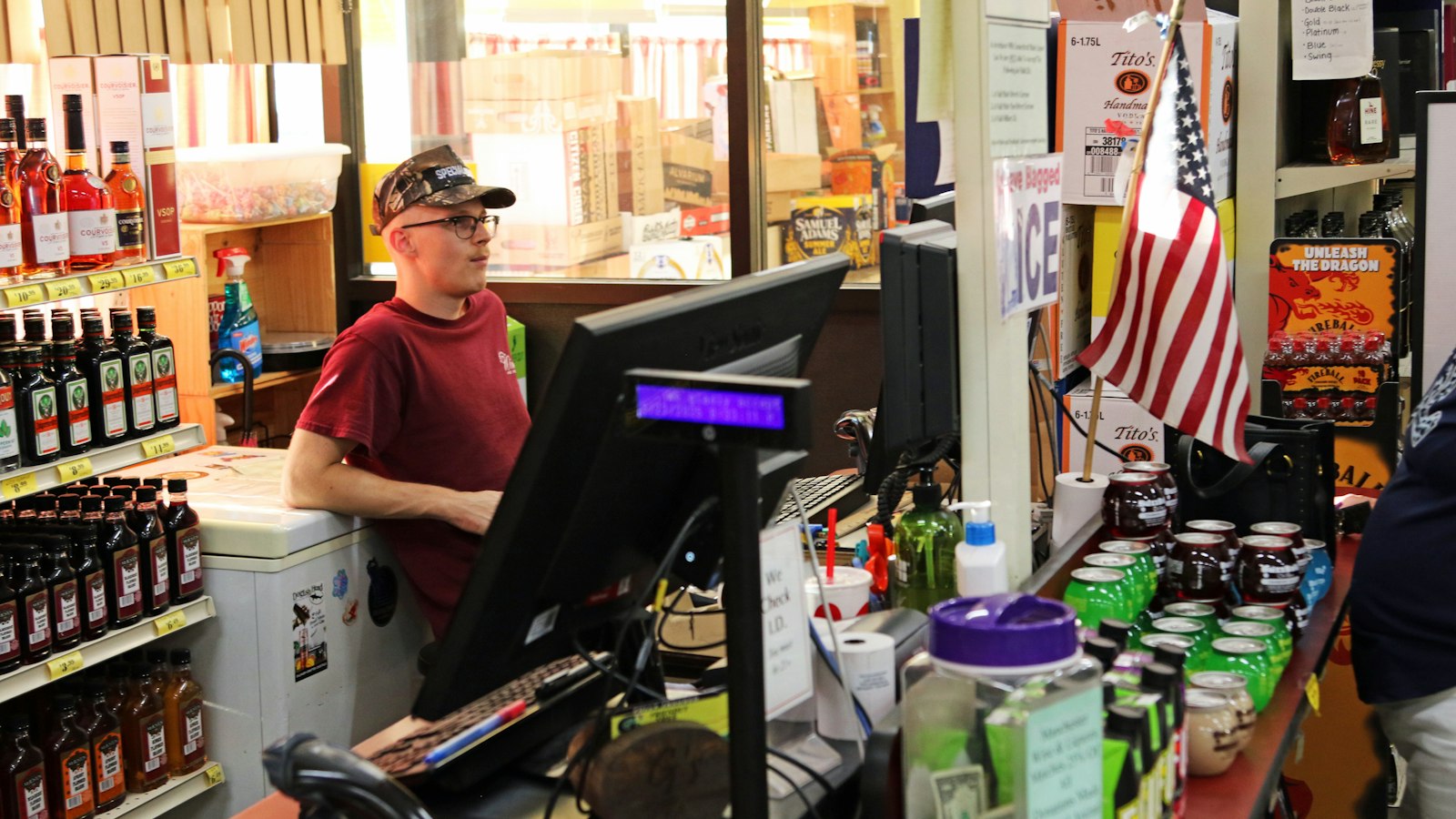
Family restaurants and taquerias have an entirely different pressure. Table turns, split checks, and the interaction between the dine-in register and third-party delivery tablets create a workflow problem that most basic systems do not solve well. A purpose-built restaurant point of sale with tableside ordering capability reduces the number of trips a server makes and tends to cut ticket errors. For busy kitchens, the difference between a kitchen display that updates in real time and one that lags by thirty seconds is not abstract; it shows up in food quality and table wait times.
Retail and convenience stores care about inventory tracking, age-verification prompts, and fast checkout lines. A stuck reader or a slow connection at a convenience counter during the morning coffee rush will send customers to the next option. Trucking-related businesses and logistics operations often need to process payments at odd hours, sometimes from a job site rather than a fixed counter, which means mobile payment capability matters as much as the counter terminal.
Knowing how the Inland Empire's card processing environment compares to statewide norms is a reasonable starting point for any owner who wants to benchmark what they're paying.
What Is Driving Your Processing Costs?
Every merchant statement has three main layers of cost: interchange (set by card networks like Visa and Mastercard and paid to the card-issuing bank), assessment fees (also set by the card networks), and your processor's markup. The first two are fixed for everyone in the country at a given card type and transaction method. Your processor's markup is the only part that is negotiable, and it is often the least visible number on the statement.
A fast way to find your effective rate is to divide your total processing fees for a month by your total card volume for that same month. If you processed $40,000 in cards and paid $1,200 in fees, your effective rate is 3.0 percent. Many small shops in California run rates above what their pricing model would suggest, often because of downgrades: transactions bumped to a higher interchange tier due to card type, entry method, or a delayed batch.
Surcharging and cash-discount programs are legal in California, but card brand rules govern how they can be applied, and those rules differ between Visa and Mastercard. If you are considering either program, the details need to come from someone who handles California merchant accounts regularly. Thinking through point of sale options for retail shops that support these pricing structures is part of that conversation.
How Can You Tell If Your Current Setup Has Gaps?
Before you replace anything, run a few quick checks. Pull your last three statements and calculate the effective rate each month. If it moves significantly without a matching change in your card mix or volume, something in your setup shifted, often without anyone telling you. Look for a "non-qualified" or "downgrade" line on each statement; that figure shows you how much of your volume processed at the highest available interchange tier rather than the preferred one.
Ask your current provider which PCI compliance tier your business falls into and whether you have been validated this year. The PCI Security Standards Council sets four tiers for merchants based on annual card transaction volume, and non-compliance fees can appear on statements as a flat monthly charge that many owners assume is unavoidable. It is not. Also ask whether your hardware is currently certified for EMV chip transactions and contactless payments. Equipment that cannot process a tap-to-pay transaction is not just slower; it carries a liability shift for fraudulent chip-card transactions.
If you run a seasonal spike in Fontana, say the summer heat that drives foot traffic to retail and food businesses alike, check whether your touchscreen point of sale holds up in high-temperature environments since tablet-based systems vary significantly in how they perform when ambient temperatures rise in a kitchen or near a window.
Red Flags Worth Catching Before They Cost You
A few situations should prompt a closer look at your current arrangement. A processor that auto-renews your contract annually with rate adjustments buried in a notice email is a common one. A lease on a terminal that costs more over its full term than the terminal would cost to buy outright is another. If your system cannot produce a sales report broken down by item, hour, or staff member, you are running without data that most modern systems include at the base tier.
Keeping the Line Moving and the Data Useful
Well-run shops in Fontana keep checkout smooth by matching the hardware to the workflow: a countertop terminal at a fixed register, a handheld for tableside payments in a full-service dining room, and a mobile reader for the shop owner who moves between a service bay and the front desk. Good data follows from that setup because every transaction flows through the same system and shows up on the same report.
A clear statement and a system that fits the way you actually work gives you something more useful than speed. It gives you an accurate picture of what your business costs to run.
Common Questions
What Does Your Business Type Actually Need From a POS?
Auto repair and body shops in Fontana frequently run large-ticket transactions, often over a thousand dollars, and their customers expect itemized invoices before they hand over a card. A system that handles estimates, ties parts to labor, and prints or texts a detailed receipt is worth more to that shop than one with a flashy customer-facing display.
What Is Driving Your Processing Costs?
Every merchant statement has three main layers of cost: interchange (set by card networks like Visa and Mastercard and paid to the card-issuing bank), assessment fees (also set by the card networks), and your processor's markup. The first two are fixed for everyone in the country at a given card type and transaction method.
How Can You Tell If Your Current Setup Has Gaps?
Before you replace anything, run a few quick checks. Pull your last three statements and calculate the effective rate each month.
Your Next Step: A Free Review of Your Processing Setup
Upward Merchant works with small business owners across California to review existing payment setups, compare terminal and POS options, and walk through statements line by line so you can see exactly what you are paying and why. Whether you run a taqueria, an auto shop, a convenience store, or a logistics operation, the review is free and comes with no obligation to change anything. Call 1-855-GET-UPWARD (1-855-438-8792) to talk through your setup, or use the link below to get a free review of your point of sale options and see what a better-fit system looks like for your business.
Sources:
- PCI Security Standards Council. "Merchants page." pcisecuritystandards.org, www.pcisecuritystandards.org/merchants.
- Federal Reserve. "FR Payments Study landing page." federalreserve.gov, www.federalreserve.gov/paymentsystems/fr-payments-study.htm.
- Visa. "Small Business Regulations and Fees." usa.visa.com, usa.visa.com/support/small-business/regulations-fees.html.
DISCLOSURE: This article is general information, not financial, legal or tax advice. Upward Merchant helps businesses set up payment processing, POS and related services through partner providers, and rates, approval and terms depend on each business. Mentions of other businesses and organizations are for information only and do not imply endorsement or payment.
Want to know what you're really paying?
Send us a recent processing statement and we'll walk you through it line by line. Free, with no obligation.