How Do You Add a Checkout Payment Form to Your Website?
Current as of November 2026.
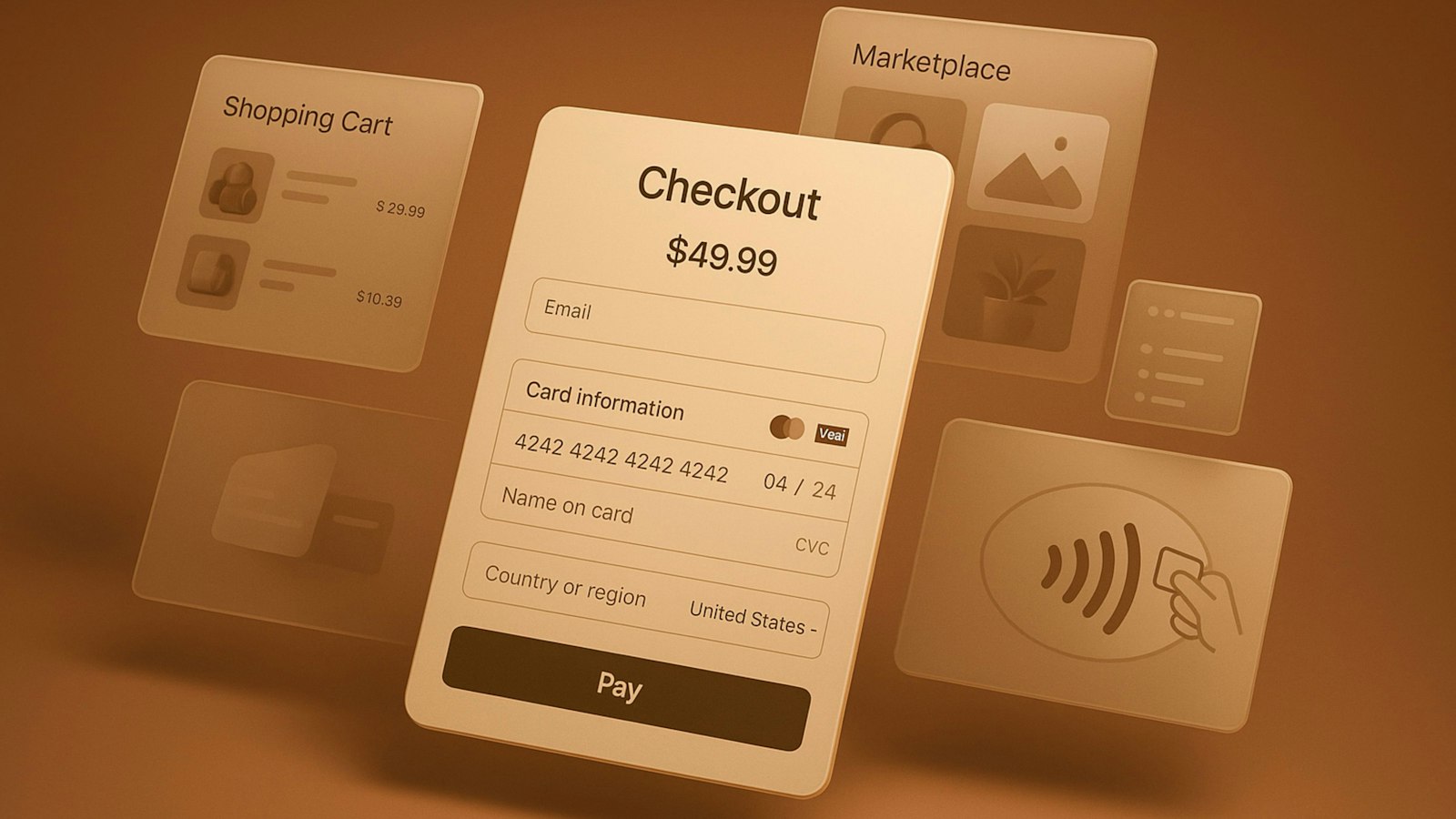
A candle maker who sells wholesale and direct-to-consumer built a clean website and drove real traffic through social media. But every time a buyer hit "buy now," they landed on a generic payment page with a different logo and color scheme. A chunk of those buyers didn't finish. Getting a checkout form embedded directly into your site, so customers complete the purchase without feeling like they left, is straightforward once you know what you're choosing between. Your processor or payment gateway provides either an embeddable form snippet or a hosted field solution, and you drop it into your checkout page. The nuance is in which method fits your platform, your security obligations and your customer flow.
Why So Many Small Merchants Still Redirect Customers Off-Site
Redirect-based checkout became the default years ago because it was the easiest thing for processors to offer and the safest from a liability standpoint. When a buyer leaves your page to pay, the processor handles everything, and you never touch card data at all. That's genuinely convenient for a business that just wants to get started quickly. The problem is that buyers in 2026 are skeptical of URL changes at checkout. Studies from the Baymard Institute on cart abandonment have consistently found that average documented cart abandonment rates sit around 70%, with complicated or unfamiliar checkout flows cited as a leading driver. For a business doing a few thousand dollars a month online, even a small improvement in completion rates has a real dollar impact.
What "Embedded" Actually Means and What It Doesn't
There's a meaningful difference between a truly embedded form and what some processors call embedded but is actually a styled iframe pointed at their own servers. Both keep the customer on your URL, visually. The difference is where the card data actually goes. With a hosted fields or tokenization approach, your page loads the form visually, but the sensitive card fields are served by the processor's secure environment. The number your customer types never touches your web server. That matters for PCI DSS compliance, the Payment Card Industry Data Security Standard that governs how card data is handled. A business that processes card data on its own server faces a much heavier compliance burden than one using a tokenized hosted-field solution, and the gap in cost and complexity is major. Most small businesses are far better served by the hosted-field approach, which looks fully embedded to the customer but keeps PCI scope narrow for the owner.
If you want to know how your current setup affects your ongoing checkout options for online orders the answer usually starts with how your payment page is built. Many processors offer JavaScript-based hosted fields that render on your page while their servers handle the actual card data capture. Your developer, or in some cases a plugin, handles the integration.
Does Your Website Platform Change the Process?
Yes, and sometimes dramatically. Shopify has its own payments infrastructure built in, and embedding a custom form often means working within what Shopify allows, which is not always a gateway of your choice. WooCommerce, built on WordPress, is far more flexible, with gateway plugins for dozens of processors that handle the hosted-field embedding automatically. Squarespace and Wix both have built-in payment options and limited support for third-party gateway integration. A straight HTML or custom-coded site gives you the most flexibility, since you're working directly with your processor's API or JavaScript SDK and placing the form wherever you want it.
For businesses that invoice clients rather than run a traditional storefront, the form might live on a payment link or a client portal instead of a product page. A well-configured invoicing and recurring billing setup can serve the same function for service businesses that a product checkout serves for retailers.
What Does This Actually Cost, and Where Do Fees Come From?
The form itself is typically free to embed. What you're paying for is the transaction. Card-present rates are usually lower than card-not-present rates because online payments carry more fraud risk, and interchange rates reflect that. The exact rate depends on your pricing model, your card mix, your processor, and your monthly volume. Flat-rate pricing is easy to follow but often costs more at higher volumes. Interchange-plus shows you the actual cost of each transaction plus a fixed markup, giving you a clearer read on where your money is going.
Monthly gateway fees, statement fees, and PCI non-compliance fees can add up quietly. Reviewing your statement line by line every month is the fastest way to catch fee creep. If you're taking international orders, read the walkthrough on accepting international payments on your website.
How Do You Keep the Setup Secure and Compliant?
PCI DSS sets the floor. The PCI Security Standards Council publishes the Self-Assessment Questionnaire (SAQ) types, and the right one depends on how your form is built. Merchants using a fully hosted or iframed field solution typically qualify for SAQ A, the lightest version. Merchants with more direct card-data handling face SAQ D, which is substantially more involved. Your processor should tell you which SAQ applies. If they can't answer that clearly, that's a red flag worth taking seriously. Beyond PCI, make sure your site runs over HTTPS with a valid SSL certificate, because a payment form on an HTTP page will trigger browser warnings that stop buyers cold.
What Red Flags Should You Watch Before Going Live?
Contracts matter more than the form itself. Some processors lock small businesses into multi-year agreements with early termination fees that run into the hundreds or thousands of dollars. Read how chargebacks are handled, what your reserve requirements are, and whether your pricing can change mid-contract. A reserve policy that holds funds for 30 to 90 days can create a real cash flow gap for a newer online business. Month-to-month agreements are available and worth seeking out before your first transaction.
How Does a Well-Run Payment Setup Affect Your Cash Flow?
When your checkout form works cleanly, conversions go up, disputes go down, and deposits arrive on a predictable schedule. That lets you plan inventory, pay suppliers, and project next month's revenue. Payment friction and fee surprises are where small business owners quietly lose money online, and both are preventable with the right setup.
Common Questions
How do I add a payment form to my website without coding?
Most major processors offer plugins for platforms like WordPress/WooCommerce or apps for Shopify that handle the embedding for you. You install the plugin, connect your merchant account credentials, and the hosted payment fields appear on your checkout page without writing a line of code. The tradeoff is that plugins give you less control over the form's appearance than a custom API integration would.
What is the difference between a hosted payment page and an embedded payment form?
A hosted payment page sends your customer to a URL controlled by your processor to enter their card information, then redirects them back to your site after the transaction. An embedded form keeps the customer visually on your page the whole time, while the card fields are still often served by the processor's secure environment. The embedded approach tends to build more trust and reduces drop-off at checkout.
Is it safe to take payments directly on my website?
Yes, when done correctly. The key is using a processor's hosted-field or tokenization solution so card data never passes through your server. That approach limits your PCI DSS scope to the lightest self-assessment category and keeps sensitive data off your infrastructure entirely. Running payments over HTTPS with a valid SSL certificate is a baseline requirement.
What fees come with an online payment form?
The form itself is usually free. You pay per transaction, typically at a card-not-present rate that is higher than in-person rates because of fraud risk. Depending on your processor and pricing model, you may also pay monthly gateway fees, statement fees, or PCI compliance fees. Reading your monthly statement in detail is the best way to know exactly what you're paying.
What should I look for in a processor agreement before setting up online payments?
Pay close attention to the contract length, early termination fees, reserve requirements, and whether rates can be changed mid-term. Month-to-month agreements exist and are worth asking for. A reserve policy that holds a portion of your sales for weeks or months can disrupt cash flow for a newer online business, so it's worth knowing the policy before your first transaction clears.
Your Next Step: A Payments Setup That Fits Your Site
Upward Merchant works with small business owners to set up online checkout, embedded payment forms, payment links, and invoicing that match how their business actually runs, without pushing you into a one-size-fits-all solution. The team reviews your current processing costs line by line and walks you through what a better setup would look like for your volume and customer type. There's no obligation and no pressure. If you're ready to look at your options, start with a payments setup that fits or call 1-855-GET-UPWARD (1-855-438-8792).
Sources:
- PCI Security Standards Council. "PCI DSS Quick Reference Guide." pcisecuritystandards.org, www.pcisecuritystandards.org/documents/PCI_DSS-QRG-v3_2_1.pdf.
- Baymard Institute. "49 Cart Abandonment Rate Statistics." baymard.com, baymard.com/lists/cart-abandonment-rate.
- PYMNTS. "Embedded Payments Reduce Cart Abandonment for Merchants." pymnts.com, www.pymnts.com/checkout/2024/embedded-payments-reduce-cart-abandonment-for-merchants.
DISCLOSURE: This article is general information, not financial, legal or tax advice. Upward Merchant helps businesses set up payment processing, POS and related services through partner providers, and rates, approval and terms depend on each business. Mentions of other businesses and organizations are for information only and do not imply endorsement or payment.
Want to know what you're really paying?
Send us a recent processing statement and we'll walk you through it line by line. Free, with no obligation.