How Do You Recover a Failed Payment at Online Checkout?
Current as of November 2026.
Picture a gift shop owner whose online store finally hits its busiest hour of the year, midnight on Black Friday, and the orders start stacking up. Then the error messages start too. Cards declined, sessions timing out, customers who filled a cart and typed in their billing address hitting a wall at the final step. By morning, she's looking at dozens of incomplete orders with no clear way to know which ones are real sales she can still save.
Failed payments at online checkout are recoverable in most cases, but the window is short and the steps are specific. Knowing what caused the failure is the only way to know which fix will work.
Why Do Online Payments Fail More Often During the Holidays?
The short answer is that holiday traffic brings conditions your payment setup may never face in a normal week. Gateway servers get hit by far more volume on Black Friday, Cyber Monday, and the days leading up to Christmas. Latency creeps in, session tokens expire before a customer finishes typing, and some processors impose tighter fraud rules because the same period that's busy for legitimate shops is also a peak period for card fraud.
Card issuers are a big part of the equation too. When a shopper's bank sees an unfamiliar pattern, a larger-than-usual purchase, or a billing address that doesn't match what's on file, it may decline the transaction automatically. That customer sees a generic "card declined" message and often assumes they did something wrong. Many don't try again. The Federal Reserve's payments research has documented that card-not-present transactions carry a higher rate of issuer-side declines than in-person transactions, because the authentication signals available to the bank are weaker.
What Actually Causes a Card to Be Declined Online?
There's a difference between a hard decline and a soft decline, and that difference determines what you can do next. A hard decline means the issuer has permanently refused the transaction, typically because the card is reported lost or stolen, the account is closed, or there's a fraud block the customer needs to resolve with their bank. Retrying a hard decline does nothing and can flag your merchant account for excessive failed attempts.
A soft decline is different. Insufficient funds, a temporary hold, a velocity limit the cardholder hit earlier that day, or a fraud filter that flagged the order pattern are all soft declines. The same card may work fine if the customer tries again a few minutes later, after the hold clears or they move funds between accounts. Your checkout system's job is to communicate this clearly rather than showing a single failure message that sends the customer away for good.
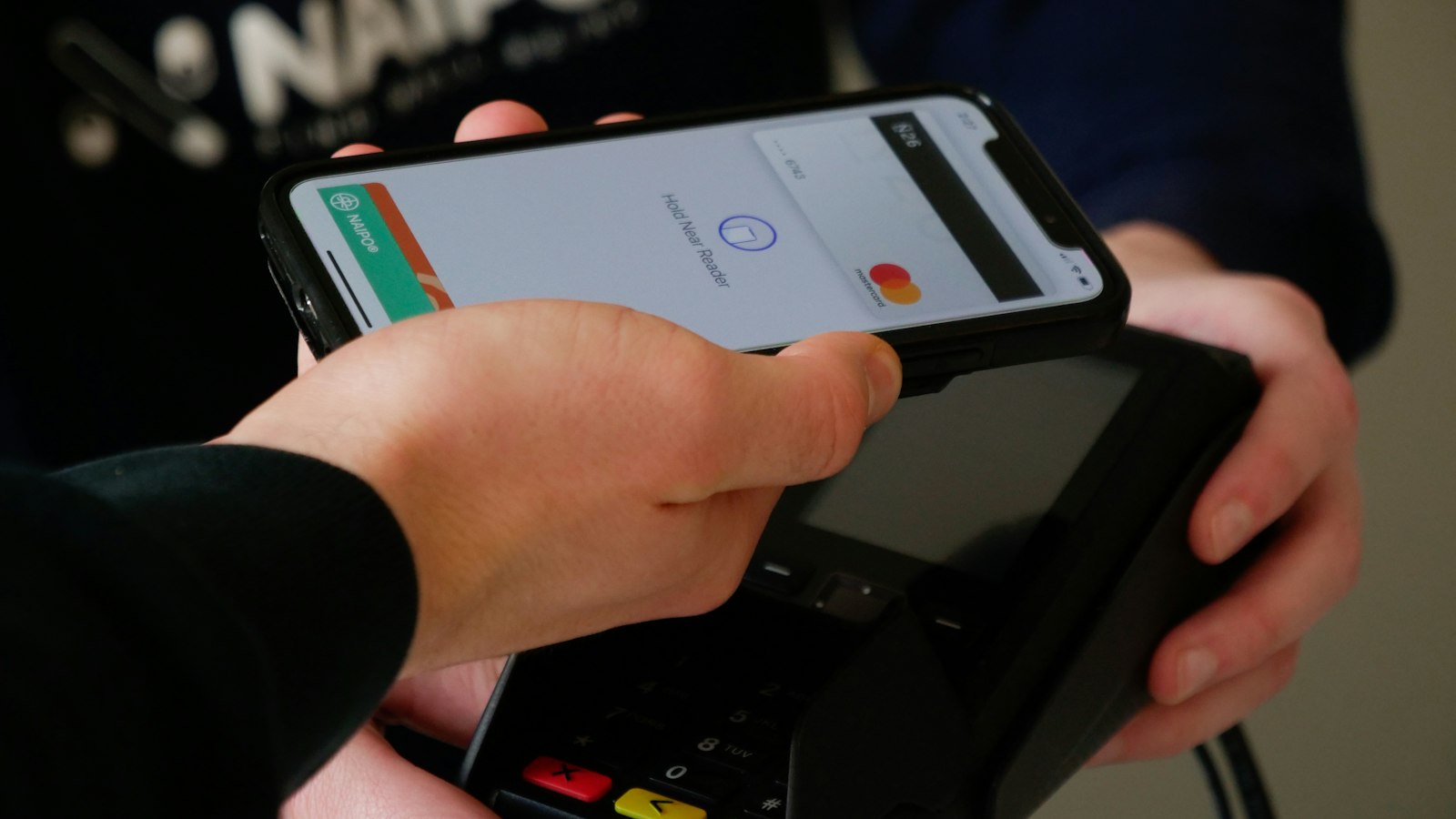
Address Verification Service mismatches are another common cause that owners overlook. If a customer recently moved or is shipping to a different address than their billing address, the AVS check may return a partial mismatch that some gateways treat as a decline trigger. A checkout flow that collects billing and shipping addresses clearly, with explicit labels and format guidance, reduces these errors before they reach the processor. For businesses that offer flexible options like online payments for small shops including digital wallets, those wallet transactions bypass the AVS problem entirely because the verified address is already embedded in the token.
How Do You Recover a Failed Payment Before the Customer Leaves?
Recovery starts at the moment of failure, not after the customer closes the tab. The most effective intervention is an inline error message that tells the customer exactly what to try next.
If the customer does leave, an abandoned cart email sequence is the next line of recovery. The first email, sent within an hour, should acknowledge that something may have gone wrong at checkout and give a direct link back to their cart. A payment-failure-specific message differs from a standard cart abandonment email because it acknowledges a technical issue rather than assuming the customer changed their mind. Businesses using invoicing and recurring billing tools built for small merchants can often trigger these sequences automatically when a transaction fails.
For soft declines, a retry that fires too quickly will hit the same conditions that caused the first failure. A retry after a few minutes, or at a different time of day, has a meaningfully better chance.
What Can You Do Before the Holiday Rush to Prevent This?
Prevention during the off-season is cheaper than recovery during the peak. The single most effective structural change most small shop owners can make is offering a second payment method at checkout. When a card fails and the customer can immediately switch to a digital wallet, a buy now pay later option, or a payment link sent directly to their phone, the sale stays alive. Shops that have explored buy now pay later checkout options as a fallback report that customers who couldn't complete a card transaction often converted through the installment path instead.
Your gateway's fraud settings deserve a look before November, too. Some gateways ship with default thresholds that work fine for low-volume months but flag too many legitimate orders in peak weeks. Review your decline codes from the prior holiday season.
What Records Should You Keep Around Failed Transactions?
Every declined transaction leaves a record in your gateway dashboard, and those records are worth reviewing. Log the decline code, the timestamp, the cart value, and whether the customer returned. Over a few weeks you'll see patterns: a particular card brand that fails more often at a certain price point, or a checkout step where sessions drop consistently. Those records also matter if you face a chargeback on a transaction that eventually processed after a retry. Showing that the original attempt failed and the customer knowingly retried is evidence. Payment logs are part of that defense file.
Will Fixing Checkout Speed Actually Help Recovery Rates?
Yes, and more than most owners expect. A checkout page that takes more than a few seconds to load under high traffic sees sharply higher abandonment, and many of those abandons are recorded as incomplete orders that look identical to payment failures in your dashboard. Compressing images, using a content delivery network, and testing your checkout page load time under simulated traffic before the holiday season are all steps that cost nothing but time.
Good Processes Pay Off Year-Round
Merchants who avoid a spike in failed payments over the holidays have done the quiet work beforehand: retry logic, a second payment method, reviewed gateway settings, and an email recovery sequence. The payoff is completed orders that would otherwise have disappeared.
Common Questions
Why does my online store get more declined cards during the holidays?
Card issuers tighten fraud filters during high-fraud periods like Black Friday and Cyber Monday, which means legitimate orders sometimes get blocked if the purchase pattern looks unfamiliar. High gateway traffic can also slow authentication responses, causing session timeouts that look like declines on your end.
What is the difference between a hard decline and a soft decline online?
A hard decline is a permanent refusal from the card issuer, usually because the card is lost, stolen, or the account is closed, and retrying it won't help. A soft decline is temporary, often caused by a daily spending limit, a fraud filter trigger, or a short-term hold, and the same card may succeed if the customer tries again after a short wait.
How do I recover an abandoned cart caused by a failed payment?
An email sent within the first hour of the failed session, worded to acknowledge a possible checkout problem rather than a change of heart, tends to bring more customers back than a standard abandonment message. Include a direct link back to the cart and offer an alternative payment method in case the original card issue isn't resolved.
Does adding a second payment method at checkout really reduce failed transactions?
It doesn't reduce the number of card declines, but it gives customers a clear exit ramp when their card doesn't work, which keeps the sale alive. Digital wallets in particular bypass the address verification step that trips up many card transactions, so they often succeed where a manually entered card fails.
What checkout settings should I review before peak season?
Ask your gateway provider to walk you through your fraud filter thresholds and your AVS mismatch settings. Default settings are built for average volume and average transaction sizes, so they may be miscalibrated for the order sizes and speeds you see in November and December.
Your Next Step: A Checkout Setup That Keeps Up
If your online checkout has ever left you staring at a list of incomplete orders and wondering what went wrong, you are not alone. Upward Merchant works with small business owners to review their online payment setup, identify gaps in checkout flow, and connect them with the right gateway and payment method mix for their volume. Whether the last busy season caught you off guard or you want to get ahead of things before the next traffic surge, get a free review of your processing fees or call 1-855-GET-UPWARD (1-855-438-8792) to talk through your options.
Sources:
- Federal Reserve. "Federal Reserve Payments Study." federalreserve.gov, www.federalreserve.gov/paymentsystems/fr-payments-study.htm.
- FTC. "Consumer Sentinel Network Data Book." ftc.gov, www.ftc.gov/reports/consumer-sentinel-network.
- PCI Security Standards Council. "Document Library." pcisecuritystandards.org, www.pcisecuritystandards.org/document_library.
- Visa. "Merchant Support Center." visa.com, www.visa.com/merchantsites/merchantsupport/en_US/support/support_center.html.
- Mastercard. "Merchant Rules." mastercard.us, www.mastercard.us/en-us/business/overview/support/merchant-rules.html.
DISCLOSURE: This article is general information, not financial, legal or tax advice. Upward Merchant helps businesses set up payment processing, POS and related services through partner providers, and rates, approval and terms depend on each business. Mentions of other businesses and organizations are for information only and do not imply endorsement or payment.
Want to know what you're really paying?
Send us a recent processing statement and we'll walk you through it line by line. Free, with no obligation.